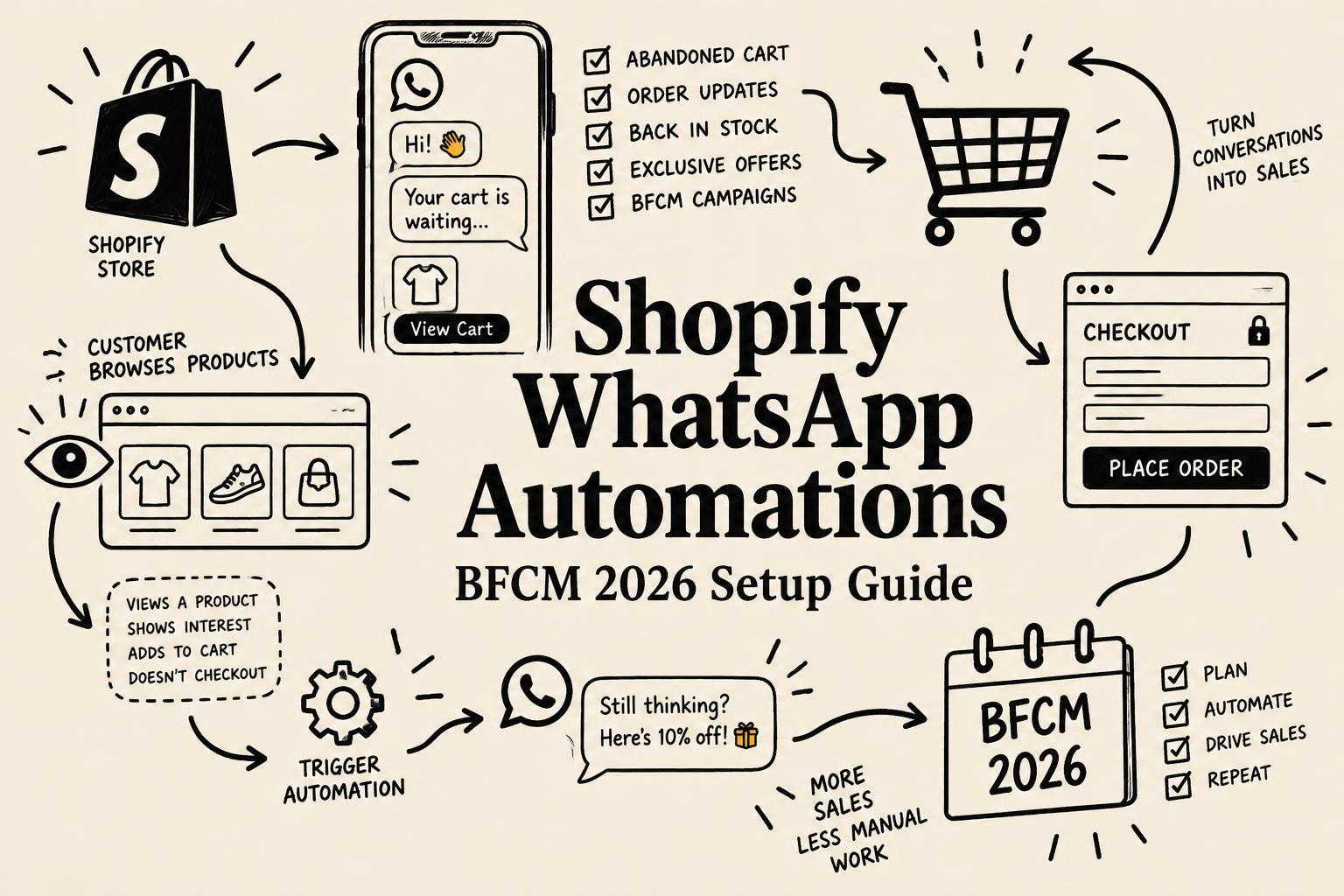
Shopify WhatsApp Automations: How to Set Up Abandoned Cart and Checkout Recovery Before BFCM 2026
Shopify now supports native WhatsApp automations for abandoned browse, cart, and checkout. Here is how to set them up before BFCM 2026, plus costs, consent, and measurement.
By Yuvraj Kewate · 2026-10-29
Black Friday and Cyber Monday are approaching, and Shopify merchants have a new option for reaching shoppers who leave without buying.
On October 28, 2026, Shopify announced native WhatsApp marketing automations in Shopify Messaging. Merchants can now use pre-built automations for abandoned product browsing, abandoned carts, and abandoned checkouts, with WhatsApp available alongside email and SMS for these recovery scenarios.
The important part is not simply that Shopify supports another marketing channel. Merchants can now connect customer behavior in their storefront to automated WhatsApp follow-ups from Shopify's own marketing tools, subject to channel eligibility, customer consent, template approval, and messaging charges.
For brands preparing for Black Friday and Cyber Monday (BFCM), this creates an opportunity to improve how they follow up with interested shoppers before the busiest shopping period of the year.
But there are practical questions to answer first.
Which WhatsApp automations should you enable? How do you connect WhatsApp to Shopify? What does messaging cost? Can native Shopify automations replace a dedicated WhatsApp marketing platform? And how should merchants measure whether these messages actually generate additional sales?
This guide covers the setup, strategy, limitations, and measurement framework merchants need to make an informed decision.
What Are Shopify's Native WhatsApp Marketing Automations?
Shopify's native WhatsApp automations let merchants automatically send WhatsApp marketing messages when shoppers take specific actions on their online store.
The feature is part of Shopify Messaging, which supports marketing campaigns and automations across supported channels.
According to Shopify's October 28 announcement, merchants can start with three pre-built recovery automations:
- Abandoned product browse: Follow up with shoppers who view products but leave without adding anything to their cart or purchasing.
- Abandoned cart: Reach shoppers who add products to their cart but do not start checkout.
- Abandoned checkout: Follow up with shoppers who begin checkout but do not complete their order.
Merchants can access these automations from their Shopify admin under Apps → Messaging → Automations.
Official announcement: Shopify introduces WhatsApp marketing automations.
Previously, merchants who wanted WhatsApp-based recovery often evaluated third-party platforms and integrations. Shopify's native implementation gives eligible merchants another way to manage these core recovery journeys within Shopify Messaging.
However, native support does not automatically make every third-party WhatsApp tool unnecessary. Advanced segmentation, integrations, custom workflows, and multi-step messaging requirements still need to be evaluated separately.
Why Shopify WhatsApp Automations Matter Before BFCM 2026
Black Friday falls on November 27, 2026, and Cyber Monday follows on November 30.
During this period, merchants compete for shoppers who are comparing products, looking for discounts, and deciding where to spend their money. Increased traffic creates opportunities, but it also means more shoppers may leave without completing a purchase.
Three common situations deserve attention:
- A shopper views a product but is not ready to buy.
- A shopper adds a product to their cart but gets distracted.
- A shopper reaches checkout but does not place an order.
Each situation represents a different level of purchase intent. A shopper who reaches checkout has usually taken more steps toward buying than someone who has only viewed a product.
Email remains a useful recovery channel. WhatsApp adds another option for shoppers who have explicitly agreed to receive marketing messages there.
For merchants whose customers actively use WhatsApp, this can make recovery communication more convenient. It also gives merchants another channel to test rather than relying entirely on email.
There are three reasons the update is worth reviewing before BFCM.
1. Reach shoppers at different stages of the buying journey
The three automations correspond to different customer behaviors. Merchants can choose the recovery scenario that best fits their products, buying cycle, and existing marketing setup.
A shopper who abandons a product page may need more information. Someone who leaves checkout might need reassurance about shipping, delivery, or payment options.
A generic discount sent to everyone ignores these differences.
2. Add a recovery channel without immediately adopting another platform
Shopify's native tools provide a starting point for merchants who want basic WhatsApp recovery without immediately implementing a separate marketing automation system.
That does not mean the feature is free to operate. WhatsApp messages are charged according to the applicable pricing rules, and merchants should evaluate those costs before increasing volume.
3. Prepare the infrastructure before peak traffic arrives
The final days before BFCM are not the ideal time to connect a new messaging channel, resolve account issues, collect consent, and test customer journeys.
Merchants should validate their setup ahead of the sale so that they can concentrate on inventory, fulfillment, customer service, and campaign performance during the event itself.
The Three Shopify WhatsApp Automations Explained
Not every abandoned shopping journey needs the same message. Understanding the differences helps merchants decide which automation to prioritize.
1. Abandoned product browse
Trigger: A shopper views a product but leaves without adding it to the cart or completing a purchase.
This automation addresses early-stage purchase interest.
A customer may have been comparing sizes, checking product specifications, researching a gift, or browsing several alternatives. A follow-up can remind them of the product they viewed.
For example:
Still considering the Everyday Backpack?
Take another look at the details, available colors, and delivery information before making your decision.
[View the product]
The message should provide a useful reminder rather than pressure the shopper into buying.
This automation is most worth testing when products have a longer consideration period or shoppers frequently compare options before purchasing.
What to measure: Attributed sessions, recovered orders, conversion rate, and sales generated by the automation.
2. Abandoned cart recovery
Trigger: A shopper adds products to the cart but leaves without starting checkout or purchasing.
Cart abandonment suggests stronger purchase intent than a product view alone, although it does not guarantee that the shopper is ready to buy.
A relevant follow-up could remind the shopper about the items they selected and provide a direct path back to the shopping journey.
Example:
You left something behind.
The products you selected are still worth another look. Return to your cart whenever you're ready.
[Return to cart]
Merchants should avoid automatically offering discounts in every recovery message. Some shoppers may return without an incentive, and unnecessary discounts can reduce margins.
Instead, test whether a reminder is sufficient before introducing promotional offers.
What to measure: Cart recovery rate, attributed orders, revenue, and any discounts used to complete those purchases.
3. Abandoned checkout recovery
Trigger: A shopper begins checkout but does not complete an order.
This is a sensible starting point for many merchants because the shopper has already progressed further toward a purchase.
Potential reasons for abandonment include unexpected shipping costs, uncertainty about delivery times, payment problems, a complicated checkout, or a distraction.
A helpful message might say:
Need a little more time?
You were almost done with your order. You can return to checkout to review your order and complete your purchase when you're ready.
[Continue checkout]
The message should make returning easy without creating false urgency.
Before enabling this automation, merchants should also review their shipping information, payment methods, return policies, and checkout experience. A reminder cannot fix a genuine problem with the buying process.
What to measure: Checkout recovery rate, completed orders, attributed sales, and the cost per recovered order.
Recommended starting point: If you are enabling only one automation first, test abandoned checkout recovery. Then expand to cart and browse recovery after confirming that the channel, consent settings, and reporting are working correctly.
How to Set Up WhatsApp Automations in Shopify
The exact setup depends on your existing WhatsApp Business account and how it is currently connected to other providers.
Follow these steps before activating your recovery messages.
Step 1: Check your Shopify eligibility
Shopify's marketing automation requirements specify a Basic plan or higher, with Shopify Flow needed for full functionality. You also need the appropriate staff permissions to manage marketing and workflows.
Review the current requirements in the Shopify Messaging automation documentation.
Step 2: Prepare your WhatsApp Business account
Before connecting WhatsApp, have the relevant business information and account access ready:
- Your legal business name and business category.
- Access to your Meta business account.
- A WhatsApp Business phone number, or the option to request one through the setup process.
- The necessary permissions to complete the connection.
If your existing WhatsApp Business account is connected to another provider, review Shopify's migration requirements before making changes.
Important: Switching providers can affect your ability to send messages, and some existing account configurations may not be eligible for a direct connection. Do not disconnect a working provider until you understand the implications for your current messaging operations.
Read Shopify's official WhatsApp setup instructions.
Step 3: Connect WhatsApp to Shopify Messaging
In your Shopify admin:
- Open Apps → Messaging.
- Go to Settings.
- Find the WhatsApp section.
- Select Connect WhatsApp.
- Follow the setup process for a new account or an eligible existing account.
- Complete the required Meta account and phone-number steps.
Follow the current instructions shown in your admin because the process may differ depending on your account configuration.
Step 4: Enable WhatsApp marketing consent
This is an essential step, not an optional growth tactic.
Customers must explicitly opt in to WhatsApp marketing before you send them promotional WhatsApp messages. Having a phone number in your customer database does not, by itself, establish marketing consent.
Shopify lets merchants enable a WhatsApp marketing opt-in at checkout. Existing consent records may also be imported when they meet Shopify's requirements.
Review your existing subscriber data before importing it. Do not assume that consent collected for email or SMS automatically authorizes WhatsApp marketing.
See Shopify's WhatsApp setup and consent guidance.
Step 5: Create the recovery automations
Navigate to Apps → Messaging → Automations.
Create an automation using one of the available recovery templates:
- Recover abandoned checkout.
- Recover abandoned cart.
- Convert abandoned product browse.
Choose WhatsApp as the message channel and review the available workflow and message settings.
Shopify's documentation states that WhatsApp abandonment templates are submitted for Meta approval during setup, but automatic submission is not guaranteed. Confirm that the required template has actually been approved before expecting messages to send.
Step 6: Review the message and test the customer journey
Before activating the automation, verify:
- The message matches your brand voice.
- The product or checkout destination works correctly.
- The message is useful on a mobile screen.
- Your consent settings are correct.
- The template is approved.
- Your automation does not conflict with another recovery message.
- The message does not promise an offer or delivery date that your business cannot honor.
Use an eligible test scenario and review the actual results. Do not assume that a saved automation is necessarily ready to send.
Step 7: Monitor performance after activation
Shopify Messaging provides automation reporting that includes metrics such as reach, sessions, orders, conversion rate, and sales.
Review these numbers regularly. The objective is not simply to send more messages. It is to determine whether WhatsApp contributes incremental sales at an acceptable cost.
Shopify's marketing automation reporting guide explains the available metrics.
WhatsApp Marketing Consent: What Shopify Merchants Must Get Right
WhatsApp marketing requires explicit opt-in consent. This requirement should influence your setup, subscriber acquisition, and campaign planning.
A large customer database is not the same as a permission-based WhatsApp audience.
Before activating an automation, confirm that:
- Customers have explicitly agreed to receive WhatsApp marketing.
- Consent is recorded and managed appropriately.
- Existing consent data has been reviewed before import.
- Messages include the required unsubscribe instructions.
- Your business follows the applicable WhatsApp Business messaging policies.
Shopify's WhatsApp marketing messages include a STOP-to-unsubscribe instruction by default, and this text cannot be removed or edited from the supported campaign template.
You should also review Shopify's regional eligibility rules. For example, Shopify's current documentation does not permit WhatsApp marketing messages to customers in the United States through Shopify Messaging. Other country and business eligibility restrictions also apply.
Read the official requirements for WhatsApp marketing before launching campaigns across different markets.
How Much Do Shopify WhatsApp Automations Cost?
Shopify's native integration does not mean that WhatsApp marketing has zero operating costs.
According to Shopify's current documentation, WhatsApp marketing automations are charged per message sent, based on the recipient's region. Charges are billed monthly.
Your actual cost will depend on the destination market, message volume, and applicable pricing.
To estimate whether an automation makes financial sense, consider the following example.
Suppose a store sends 1,000 eligible recovery messages. If the average total messaging cost is ₹0.80 per message, the estimated messaging expense would be ₹800.
If 20 additional orders are attributed to the automation and each order contributes ₹500 in gross profit before messaging costs, the resulting gross profit would be ₹10,000. After the ₹800 messaging expense, ₹9,200 remains before other incremental costs.
These numbers are illustrative only, not Shopify's official WhatsApp rates or a prediction of results. Use your own market-specific rates, order economics, and measured performance.
A useful calculation is:
Messaging cost per recovered order = Total WhatsApp messaging cost ÷ Recovered orders attributed to the automation
You should also track the profit contribution from recovered orders, rather than evaluating performance using revenue alone.
For current billing details, consult Shopify's WhatsApp marketing pricing documentation.
Shopify Native WhatsApp Automations vs. Third-Party WhatsApp Apps
Should you use Shopify's built-in automations or continue using a dedicated WhatsApp marketing platform?
The answer depends on what your business needs.
| Requirement | Shopify Messaging | Dedicated WhatsApp platform |
|---|---|---|
| Basic abandoned browse recovery | Supported | Depends on the platform |
| Abandoned cart recovery | Supported | Commonly supported |
| Abandoned checkout recovery | Supported | Commonly supported |
| Native Shopify admin workflow | Yes | Depends on the integration |
| Advanced audience segmentation | Evaluate current native capabilities | Often a core feature |
| Complex multi-step journeys | Evaluate Shopify Flow and available workflows | Depends on the platform |
| Additional integrations | Depends on supported connections | Depends on the platform |
| Messaging costs | Applicable WhatsApp charges | Provider fees and applicable messaging charges may apply |
This is a high-level comparison, not a claim that every third-party platform offers the same features.
When Shopify Messaging may be enough
The native option is worth testing if your main objective is to recover abandoned browsing sessions, carts, and checkouts without adding another system to your marketing stack.
It can also be a useful starting point for merchants who are new to WhatsApp marketing and want to validate the channel before investing in more sophisticated automation.
When a third-party platform may still make sense
A dedicated platform may be more suitable if your team needs complex audience segmentation, extensive integrations, advanced campaign controls, or multi-step customer journeys that go beyond the native templates.
Merchants should also evaluate the implications of switching providers, including account compatibility, operational continuity, existing workflows, and data migration.
The best choice is the one that meets your requirements without introducing unnecessary cost or operational complexity.
Your BFCM 2026 WhatsApp Automation Checklist
Use this checklist to prepare your Shopify store before the Black Friday and Cyber Monday rush.
- Confirm your store meets Shopify's marketing automation requirements.
- Review your current WhatsApp Business account and provider setup.
- Complete the Shopify Messaging connection process.
- Enable WhatsApp marketing opt-in and verify consent records.
- Confirm that the required WhatsApp templates have been approved.
- Create abandoned checkout recovery first.
- Add abandoned cart recovery after validating the first automation.
- Test abandoned product browse recovery where it suits your products.
- Review message copy, links, mobile rendering, and promotional claims.
- Check for overlapping email, SMS, and WhatsApp recovery messages.
- Estimate messaging costs using the rates for your target markets.
- Set a messaging budget and review available spending controls.
- Confirm that inventory, shipping, delivery estimates, and returns information are accurate.
- Monitor sessions, attributed orders, conversion rate, sales, and cost per recovered order.
Avoid launching every possible message at once. Starting with a smaller set of validated automations makes it easier to identify problems and measure performance.
How to Measure Whether WhatsApp Automations Actually Work
A message being sent does not mean that it generated an additional sale.
Shopify's automation reports provide a useful starting point, but merchants should interpret attributed results carefully. A customer might have returned to purchase even without receiving a WhatsApp reminder.
Track these metrics throughout BFCM:
Reach: How many eligible messaging opportunities resulted in messages being sent?
Sessions: How many store sessions are attributed to the automation?
Orders: How many orders are attributed to the messages?
Conversion rate: What proportion of the measured audience or sessions converted, according to the report's definition?
Sales: How much revenue is attributed to the automation?
Cost per recovered order: How much did messaging cost for each attributed recovered order?
Profit contribution: After accounting for discounts, product costs, fulfillment, and messaging, how much contribution did the recovered orders generate?
For a more reliable assessment, compare performance against a reasonable baseline or use a controlled holdout where your tooling and traffic allow it. Keep the comparison period, audience, and attribution assumptions consistent.
For example, if WhatsApp messages are sent alongside existing email recovery flows, the same purchase might be influenced by both channels. Avoid treating every attributed sale as wholly incremental WhatsApp revenue.
The goal is to learn which messages help customers complete purchases, not simply which channel receives credit for the order.
Common Mistakes to Avoid
Sending WhatsApp marketing messages without consent
A phone number collected during checkout is not automatically permission to send promotional WhatsApp messages. Verify the customer's marketing consent before activating the automation.
Assuming every customer can receive WhatsApp marketing
Regional restrictions, account eligibility, and messaging limits can affect delivery. Check Shopify's current requirements for your business and target markets.
Disconnecting an existing provider without planning the migration
If your WhatsApp Business account is already connected to another service, investigate the migration requirements before disconnecting it. An account transition at the wrong time could disrupt your messaging operations.
Sending discounts to every shopper
A discount may help some shoppers return, but it can also reduce margins unnecessarily. Start with relevant reminders and introduce incentives only when your data supports them.
Overlapping recovery messages across channels
A shopper who receives an email, SMS, and WhatsApp message about the same abandoned checkout may find the experience intrusive.
Review your existing workflows, suppression rules, and timing so that your communications work together rather than compete for attention.
Evaluating success using revenue alone
High attributed sales do not automatically translate into high incremental profit. Include messaging expenses, discounts, product economics, and the possibility of purchases that would have happened anyway.
Frequently Asked Questions
What are Shopify's native WhatsApp automations?
They are automated WhatsApp marketing messages managed through Shopify Messaging. The initial pre-built recovery scenarios cover abandoned product browsing, abandoned carts, and abandoned checkouts.
When did Shopify launch WhatsApp marketing automations?
Shopify announced native WhatsApp marketing automations in Shopify Messaging on October 28, 2026.
How do I enable WhatsApp automations in Shopify?
Open Apps → Messaging → Automations in your Shopify admin. Connect an eligible WhatsApp Business account, configure marketing consent, select a supported recovery template, and confirm that the required message template has been approved.
Are Shopify WhatsApp automations free?
The native feature does not require a separate Shopify automation subscription, but WhatsApp marketing messages incur applicable per-message charges. Check Shopify's current pricing for your recipient markets.
Do Shopify WhatsApp automations work in India?
Shopify's WhatsApp marketing documentation lists broad international availability, subject to country and account restrictions. India is not among the explicitly excluded customer destinations in the current published restrictions. Merchants should still verify their own account eligibility, setup, and applicable message rates.
Can Shopify send abandoned checkout messages through WhatsApp?
Yes. Shopify Messaging supports an abandoned checkout recovery automation through WhatsApp for eligible, opted-in customers.
Do I need a WhatsApp Business account?
Yes. You need to connect an eligible WhatsApp Business Account through Shopify's supported setup process.
Can I use WhatsApp automations without customer consent?
No. WhatsApp marketing messages require explicit opt-in consent. A customer having an email address or phone number in your store does not automatically authorize WhatsApp marketing.
Can Shopify's native WhatsApp automations replace third-party apps?
They may cover basic recovery needs, but merchants requiring advanced segmentation, complex workflows, or additional integrations should compare the native feature against their current provider before switching.
How can I measure WhatsApp automation performance?
Use Shopify's available automation reporting to review reach, sessions, orders, conversion rate, and sales. Also calculate messaging cost per attributed recovered order and assess whether the results represent incremental profit.
Final Takeaway: Set Up WhatsApp Recovery Before BFCM, but Measure the Results
Shopify's native WhatsApp marketing automations give merchants another way to follow up with shoppers who browse products, abandon carts, or leave checkout unfinished.
For BFCM 2026, the sensible next step is to verify eligibility, connect the channel, confirm customer consent, and test abandoned checkout recovery before expanding into additional scenarios.
Merchants should not assume that WhatsApp will outperform every other channel or that every attributed order is incremental. The value depends on customer behavior, market eligibility, message quality, timing, costs, and how well the automations fit into the existing marketing strategy.
Start with a clear recovery use case, measure the results, and expand only when the numbers justify it.
For more Shopify product updates, see our breakdown of Shopify Editions Fall '26. To grow your WhatsApp opt-in list before BFCM, compare the best Shopify popup apps, and for longer-term follow-up, read our guide on how to improve customer retention.
Primary sources
- Shopify Changelog: WhatsApp marketing automations
- Shopify Help Center: Creating and managing marketing automations
- Shopify Help Center: WhatsApp marketing setup
- Shopify Help Center: WhatsApp marketing requirements
- Shopify Help Center: WhatsApp pricing
- Shopify Help Center: Marketing automation reporting
Shopify WhatsApp Automations: How to Set Up Abandoned Cart and Checkout Recovery Before BFCM 2026