
How to Sell Digital Products: A Step-by-Step Guide
Learn how to sell digital products step by step: choose a product, price it, set up payments and delivery, launch it, and fix common sales problems.
By Yuvraj Kewate · 2026-11-17
You have a folder of files that solves a problem people keep asking you about. Maybe it's a pricing spreadsheet, a set of contract templates, a Notion system, or the outline of a course you've taught informally for years. Three people asked for it this month. You've opened a payment account, drafted half a sales page, and stalled, because the distance between "people would pay for this" and "money is in my account" is a chain of small decisions nobody explains in order.
The work splits into five phases: choose, create, price, set up payments and delivery, launch and promote. Each phase below ends with a check you can run before spending money on the next one. The mechanics of how to sell digital products are boring and specific: a file, a promise, a price, a checkout, an email. What trips people up is the sequence, and the fact that delivery proof and dispute risk have to be designed in from the first build rather than bolted on after the first chargeback.
Table of Contents
- Choose a Digital Product Buyers Will Repeat
- How to Create and Package Your Digital Product
- Pricing Models and Price Points That Hold Up
- Taking Checkout and Delivery Off Your Plate With AmaJova
- Set Up Payments and Delivery Without Gaps
- Launch and Promote to Your First 100 Buyers
- Common Problems and How to Fix Them
- Confirm Your First Offer Before You Scale
Choose a Digital Product Buyers Will Repeat
Buyers already spend real money on files, so the first decision isn't the format or the price. It's the buyer. Deloitte's consumer digital spending research analyzed monthly spending reported by more than 100,000 consumers across 13 countries and 12 digital categories and estimated digital goods and services at 2.7% of total consumer wallets, close to clothing at 3.9% and electronics at 3.5%. In the United States, 15% of surveyed adults said they spend at least US$250 a month on digital goods and services. You're competing for a budget line that already exists, not convincing people to buy intangible things for the first time.
Demand is spread across mature and emerging categories. Streaming and digital written content accounted for 53% of digital spending in Deloitte's data, while virtual learning, health and wellness, virtual reality content and creator-produced online content together made up almost 23%. On the buying side, Whop's digital product statistics report that 68% of internet users aged 16 and older paid for some form of digital content each month in 2025. Education is a smaller slice than entertainment, at 11% of paying users against 32% for streaming, and that's the useful part: fewer buyers, sharper intent, less price shopping.
A product that sells once and never again is a job you have to re-win every month. A product that sells repeatedly is a business. The filter is four questions. Can you name the buyer in one sentence? Can you name the problem in their words? Can you show the result on one screen? Is there a reason to come back, whether that's an update, a new month of content, or a bigger tier? A template that cuts invoice prep from an hour to fifteen minutes clears all four. A 200-page ebook about "productivity" clears none.
| Format | Delivery model | Best fit |
|---|---|---|
| Ebook or PDF guide | One-time download | Fast to produce, good first test |
| Template or spreadsheet | One-time download | Clear time saved for a specific task |
| Online course | Self-paced or cohort access | Strong outcome promise, higher support load |
| Software license or tool | License key or subscription | Needs updates, support and hosting |
| Membership | Monthly or annual access | Repeat content and community value |
Data sits in the same family as the template and the tool, and packaging it brings its own licensing and delivery questions, which how to sell data covers in detail. If that's the asset you already own, read it before picking a format.
Three checks before you build anything
- The buyer sentence. "Freelance designers who invoice four or more clients a month" is a buyer. "Small businesses" is a category. If you can't finish the sentence without hedging, the offer isn't ready.
- The screen test. The result has to survive being described on one screen, because that's all the attention your product page gets. If explaining the outcome takes three paragraphs, the product is doing too many things.
- The 30-day build. A first version that can ship inside a month beats a definitive version that never ships. Whatever you can't finish in 30 days becomes version two, sold to people who already trust you.
If all three pass, you have a product. If one fails, you have a topic.
How to Create and Package Your Digital Product
Packaging is part of the product, not the last chore before launch. The version buyers delete in week two is usually not the one with a weak idea; it's the one where nobody explained the first step. The process below runs in order, and each step names the mistake that costs the most.
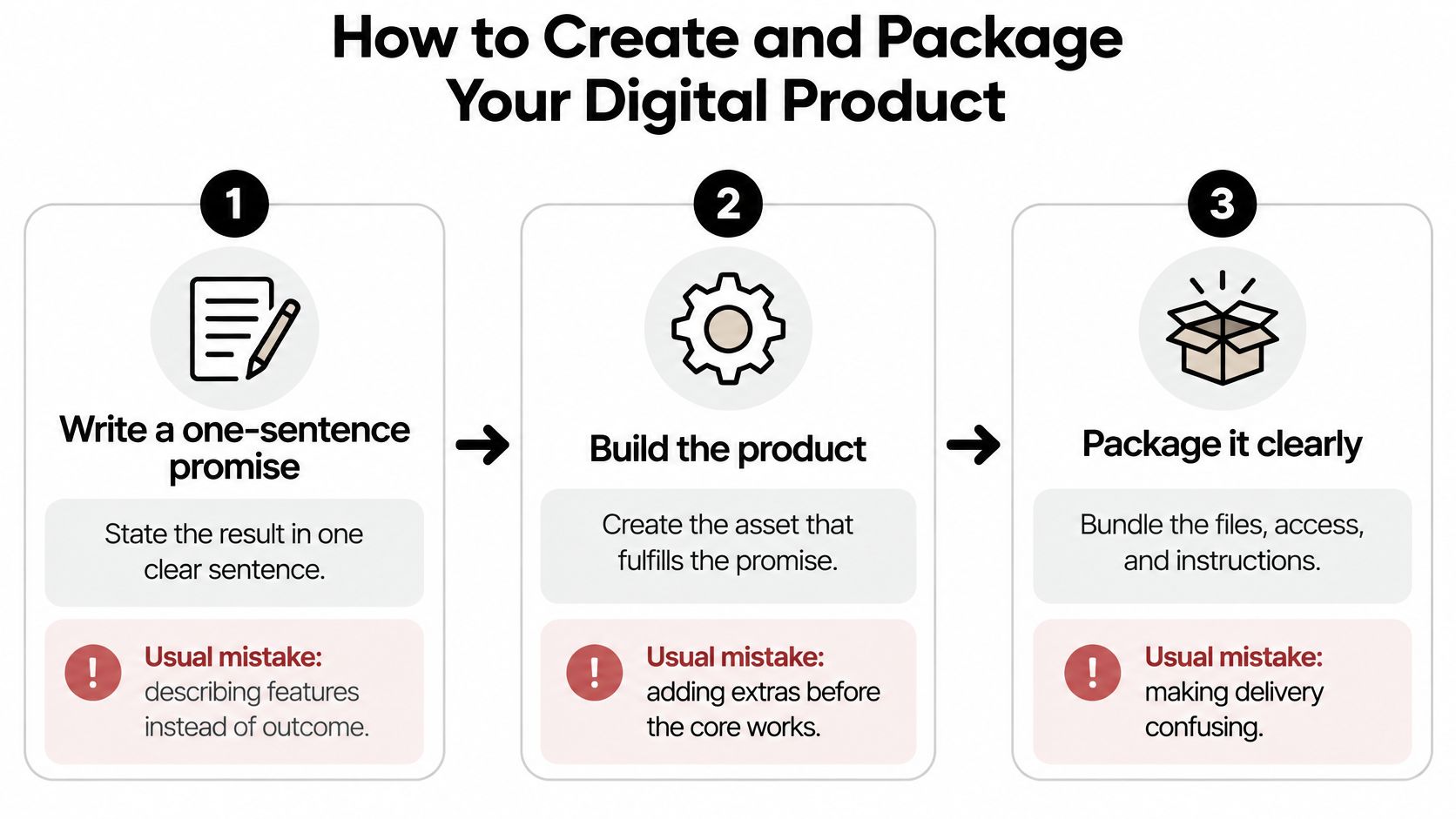
- Write the one-sentence promise. "A 10-page invoice template that cuts billing to 15 minutes" gives you scope, price and a sales page headline in one move. The usual slip is describing features ("40 tabs, 12 formulas") instead of the result the buyer can repeat.
- Build only what delivers that promise. One file that does the job beats an ecosystem. A Notion template needs the dashboard, the fields and a one-page instruction, not a companion course. The slip here is adding extras before the core survives a stranger's first session.
- Test with five target buyers and say nothing. Share your screen, watch them open the file, and stay quiet. Note every pause and every "what do I do here?" Those moments become your setup video and your FAQ, and they're the cheapest research you'll ever do.
- Name the file the way a buyer would search for it.
invoice-template-v1.2.pdfbeatsfinal_FINAL_draft3.pdf. People come back to their downloads folder two weeks later and search by keyword, not by memory. - Write the delivery email before the sales page. Access link, three setup steps, support address, refund window. If it doesn't fit on one screen, the product is too complicated and support tickets are already queued.
- Build the sales page around the outcome. A preview (one screenshot, or a 40-second clip of the first lesson), what's included, licence terms, refund window, and one honest line about who it isn't for. That last line cuts refund requests more than any guarantee.
- Version the thing. Put v1.0 in the file name and keep a short changelog. When you fix a broken formula or add a tab, you email past buyers with a fresh download link, which is also a legitimate reason to say hello.
Practical rule: if a stranger can't get from the purchase email to a working file without emailing you, the package isn't finished.
What a finished package looks like
One page holds everything: the promise, three screenshots, the file list, the licence terms, the refund window, the setup steps and a support address. Behind that page sits a record for every buyer, and you build it from day one. Keep the delivery email, the download log and the access record attached to each order. Digital sellers have no shipping receipt, so if a payment dispute lands six weeks later, that record is your only proof the product arrived.
Pricing Models and Price Points That Hold Up
Price follows the outcome, not the file size. If a spreadsheet saves a bookkeeper four hours a month, your reference points are an hour of their billed time and two or three competing products, not your page count. Look up what the alternatives charge, note where they sit, and decide whether you're the cheap option, the thorough option, or the one built for a specific job they ignore.
That framing keeps you out of the trap of pricing by effort. Buyers don't care that you spent three months on it. They care whether the result is worth more than the price plus the time it takes to learn.
| Model | Works when | Watch for |
|---|---|---|
| One-time purchase | The product solves a single, finished problem | Little revenue from existing buyers |
| Tiered (basic, plus, pro) | Buyers differ in depth of need or support | Tiers with no clear middle choice |
| Subscription or membership | You add new content or updates every month | Cancellations after the first deliverable |
| Bundle | Several products serve one buyer goal | Bundle cheaper than its parts, lowering margin |
| Launch price with planned increase | You need early reviews and first sales | Raising the price without announcing it |
A common failure is pricing a one-time product as a subscription. If the second month brings nothing new, buyers cancel and you've trained them to distrust the model. Recurring revenue is an operating commitment, and turning one-time buyers into recurring revenue starts with a publishing schedule, not a pricing page.
A price is a claim about a result. If you can't state the result in one sentence, no pricing model will rescue the offer.
Pricing for buyers outside your currency
A translated sales page doesn't fix a checkout that charges in a currency the buyer can't reconcile. Nielsen Norman Group's study of international purchasers, which tested more than 350 ecommerce sites across the United States, United Kingdom, Denmark, India and China, found language, measurements, pricing, payment methods, delivery expectations, policies and support repeatedly affected whether people completed a purchase. The same report cites CSA Research finding that 76% of consumers prefer product information in their own language and 40% will never buy from a website in another language. Show the price in the buyer's currency where your platform supports it, state plainly whether tax is included, and avoid a converted figure that looks like a glitch.
Then test instead of guessing. Pick one price, run it for four weeks from a fixed traffic source, and only change one variable after that. Adjusting price, page copy and traffic in the same week teaches you nothing except that something moved.
Taking Checkout and Delivery Off Your Plate With AmaJova
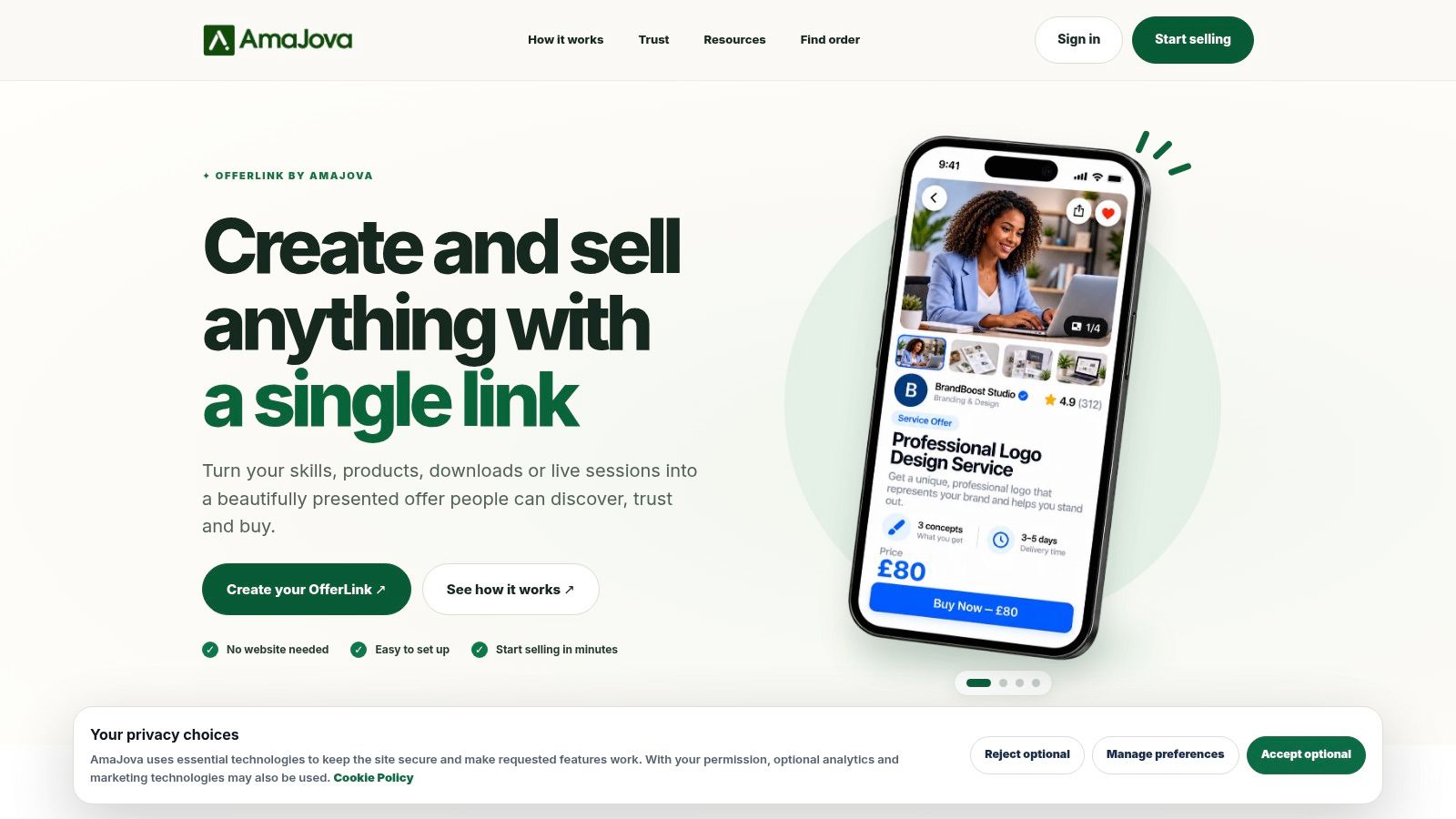
A seller can lose a digital-product dispute before the refund request arrives: the download went out, the buyer says it did not, and the proof is split across email, a payment dashboard and a spreadsheet. AmaJova is built for the smaller version of that problem. It turns services, physical products, digital products and live sessions into a single OfferLink with secure checkout, so one download does not need a full shop behind it.
The part that matters once a payment is questioned is the order record. Messages, delivery or access steps, a timeline, the payment record, dispute status and completion tracking sit against the same transaction, which makes it easier to answer “did they get it?” with evidence instead of memory. Checkout supports multiple currencies, while payout clearance still varies by seller level and offer type, so confirm current currency, payout and fee terms with the provider before pricing for international buyers.
The setup forces useful scope decisions early. Offer pages carry title, description, inclusions, price and fulfilment details, so boundaries are written before payment rather than negotiated after a complaint. A Buyer Service Fee is disclosed where applicable, which keeps the checkout total close to what the buyer expected. Media uploads, FAQs and optional extras are handled in guided setup.
Where AmaJova fits and where it doesn't
It fits a seller with a handful of offers who wants a professional shareable link and one place to manage fulfilment and support without a website build. It is a weaker fit for a large catalogue, deep content gating, or analytics that must feed your own warehouse. For a first offer and a first hundred buyers, the trade is usually sensible: less storefront control in exchange for cleaner delivery proof and fewer places for a dispute to hide. AmaJova publishes a resource on how to sell digital products that walks through offer setup from the seller side, including how inclusions and boundaries are presented.
Before moving to payments, run one test order end to end: buy through the OfferLink, open every delivery step, save the timeline, then ask what you would send if the buyer filed a dispute tomorrow.
Set Up Payments and Delivery Without Gaps
Three setups cover almost every seller, and the choice sets your cost structure, your tax workload and how fast money reaches your bank. Compare total cost, not the headline commission.
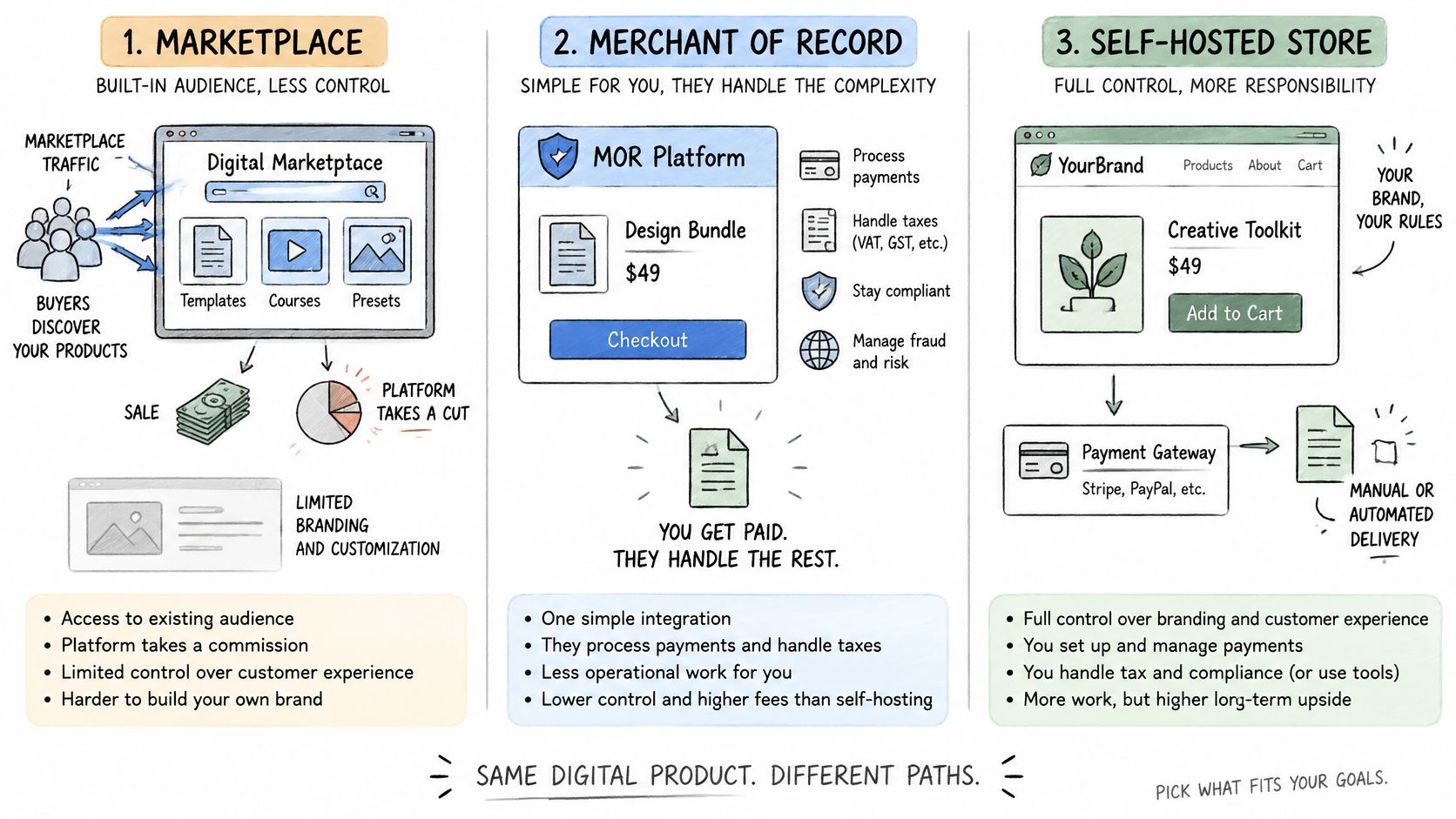
| Setup | Who collects payment | Who handles sales tax or VAT | Best fit |
|---|---|---|---|
| Marketplace | The marketplace | The platform, per its seller terms | Sellers who need built-in traffic |
| Merchant-of-record platform | The platform as seller | Usually the platform | Sellers without a tax team who sell across borders |
| Self-hosted checkout with a payment processor | You, through your processor | You or a separate tax tool | Sellers who want brand control and can manage the setup |
Fees follow the same split. A marketplace usually charges a commission per sale plus listing or payout fees, handles refunds through its own policy, and pays out on a schedule you don't control. A merchant-of-record adds its margin to the transaction and takes the tax filing off your desk. A processor-based checkout charges a percentage plus a flat fee per transaction, leaves refunds entirely to you, and pays out in days rather than weeks once your account is verified.
The delivery routine that prevents support tickets
- Connect the payment account and confirm the payout bank details. A typo here freezes payouts, and no support queue moves fast enough to save a launch week.
- Set the delivery method on the product itself. File download, licence key, course enrolment, or membership role. Confirm the link resolves to the current version, not a draft folder.
- Send the confirmation email within minutes. Access link, three setup steps, support address, refund window. This email is your delivery evidence as much as your welcome.
- Run a real purchase and a real refund. Your own card, full price. Check the email arrives, the download opens on a phone, and the refund clears.
- Read the statement descriptor. It should show your business name and the product. Cryptic descriptors are a leading cause of "I don't recognise this charge" disputes.
Then place one order from a second country on a mobile device. Currency, tax line, payment methods and spam filtering all behave differently there, and that's where checkout breaks first.
Launch and Promote to Your First 100 Buyers
Launch is a funnel, not a day. Baymard's checkout usability benchmark puts cart abandonment at roughly 70.19%, with 17% of U.S. shoppers saying they abandoned because checkout was too long or complicated. Those numbers are your diagnostic signal, not a verdict on your product.
Traffic doesn't fix a leaky checkout. It just makes the leak cost more.
Run the arithmetic before you buy ads. If 1,000 qualified visitors produce 100 checkout starts and 30 purchases, lifting checkout completion from 30% to 40% adds ten sales with no extra traffic. That's a copy and form fix, not a marketing budget.
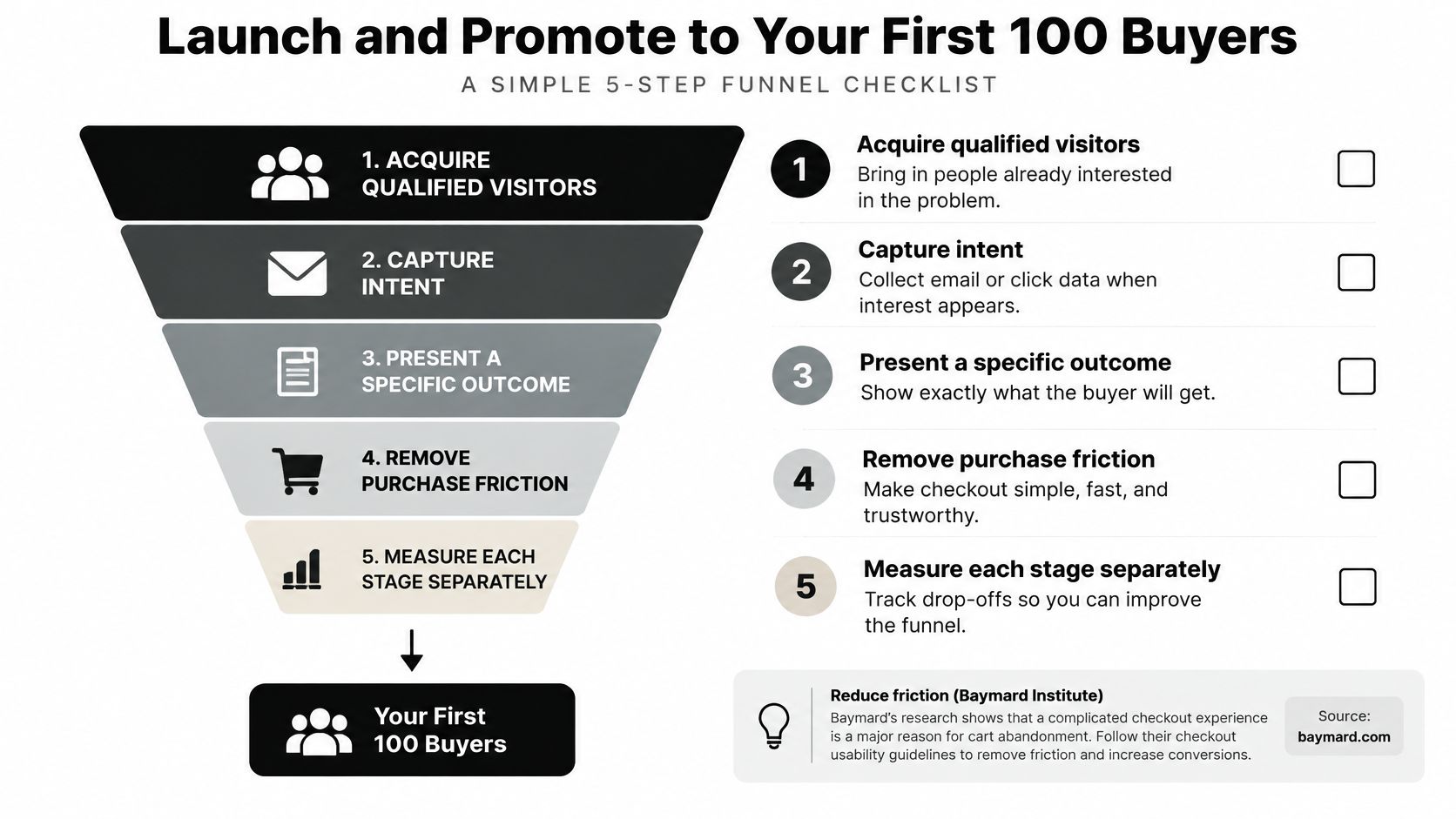
Here's the sequence I'd run, in order, before spending on acquisition.
- Build a list of 50 to 100 people who already have the problem. Past clients, forum regulars, the reply guys in your niche. A tiny engaged list beats a large indifferent one.
- Sell to that list first. A discounted pre-launch price with a delivery date is validation and funding at once. If nobody buys, you've learned something cheap.
- Pick two channels where your buyers already are, not five. One search-driven channel and one community channel is enough for a first launch.
- Ask every early buyer for a review and a testimonial. Ask on day three, not day thirty, while the result is fresh and the gratitude is real.
- Track six events from day one. Product page view, checkout start, payment failure, purchase, refund and delivery success. Each one points at a different fix.
Paid ads come after the funnel converts at a rate you can name. Sending cold traffic to a page that loses seven in ten carts burns budget to discover something your own analytics already told you. If conversion is the problem, work through practical ecommerce conversion rate improvements before adding budget.
Common Problems and How to Fix Them
The most expensive problem isn't a slow month. It's a dispute. Digital sellers have no shipping receipt, so a chargeback has to be answered with purchase-linked evidence: the delivery email, the download or access log, the refund conversation, the support record. That evidence is easy to keep if you design for it, and impossible to reconstruct after the fact. Chargeflow's analysis of digital goods chargebacks projects global chargeback volume reaching 324 million transactions by 2028, up 24% from 2025, with worldwide losses rising from $33.79 billion in 2025 to $41.69 billion in 2028.
Most disputes start as a support question nobody answered in time.
That's why the fraud framing is incomplete. In the same analysis, 18% of disputes were attributed to delayed refunds and 17% to missing or late deliveries. Operational clarity does more for your dispute rate than another layer of screening.
| Symptom | Likely cause | Fix |
|---|---|---|
| Buyer says the product never arrived | Unclear access instructions or missing confirmation email | Send an instant confirmation with access steps and keep download logs |
| Refund requests right after purchase | Buyer cannot find or open the file | Add a setup video and a support contact on the confirmation page |
| Chargebacks citing an unknown charge | Confusing statement descriptor | Use your business name and product name in the descriptor |
| Visitors add to cart but leave at checkout | Long forms, hidden fees or no trusted payment method | Cut fields, show the full price early and add common payment methods |
| Sales stop despite steady traffic | Weak outcome message or price shown too late | Rewrite the promise on the product page and test one price change at a time |
Instant delivery raises risk when onboarding is thin or the billing descriptor looks foreign. Fix those two before you tighten fraud rules, because stricter controls block honest buyers too. Review any new rule against your own refund and dispute data after 30 days rather than trusting a default setting.
Confirm Your First Offer Before You Scale
The decision this week isn't what else to build. It's whether this offer is ready to sell. Four checks settle it, and they go further than the questions that got you started.
- A completed checkout test. A real card, full price, delivered, then refunded through your own process.
- A delivery email a stranger can follow. Hand it to someone who has never seen the product and watch them reach the end without asking you a question.
- A refund policy in plain language that matches the sales page. Same window, same conditions, same wording.
- A support address that gets an answer within one business day. Test it yourself with a real question.
All four pass, go. Any one fails, hold and fix that single item before a single promotion. If you'd rather have a practitioner run the checks with you, The SaaS Hub takes growth consulting inquiries alongside app partnership, advertising, sales and general inquiries.
Then set a 30-day window with one number to watch, either checkout completion or the share of buyers who open their download within 48 hours. At day 30, if the number is weak, change exactly one thing (the promise, the price, or the traffic source) and rerun for four weeks. Don't add formats or features until the number holds.
Pick one format from the comparison table at the top, write the promise as a single sentence, and put a launch date in your calendar inside 30 days. Before that date arrives, buy your own product with a real card, follow your own delivery email to the end on a phone, and refund yourself. If that loop feels clean, you're ready to sell. If it feels confusing to you, it will feel worse to a stranger who has never heard of you, and that's the cheapest problem you'll ever get to fix.